Set your wash options.
Update the three packages, prices, included services, membership wording, and vehicle restrictions to match what your business offers.
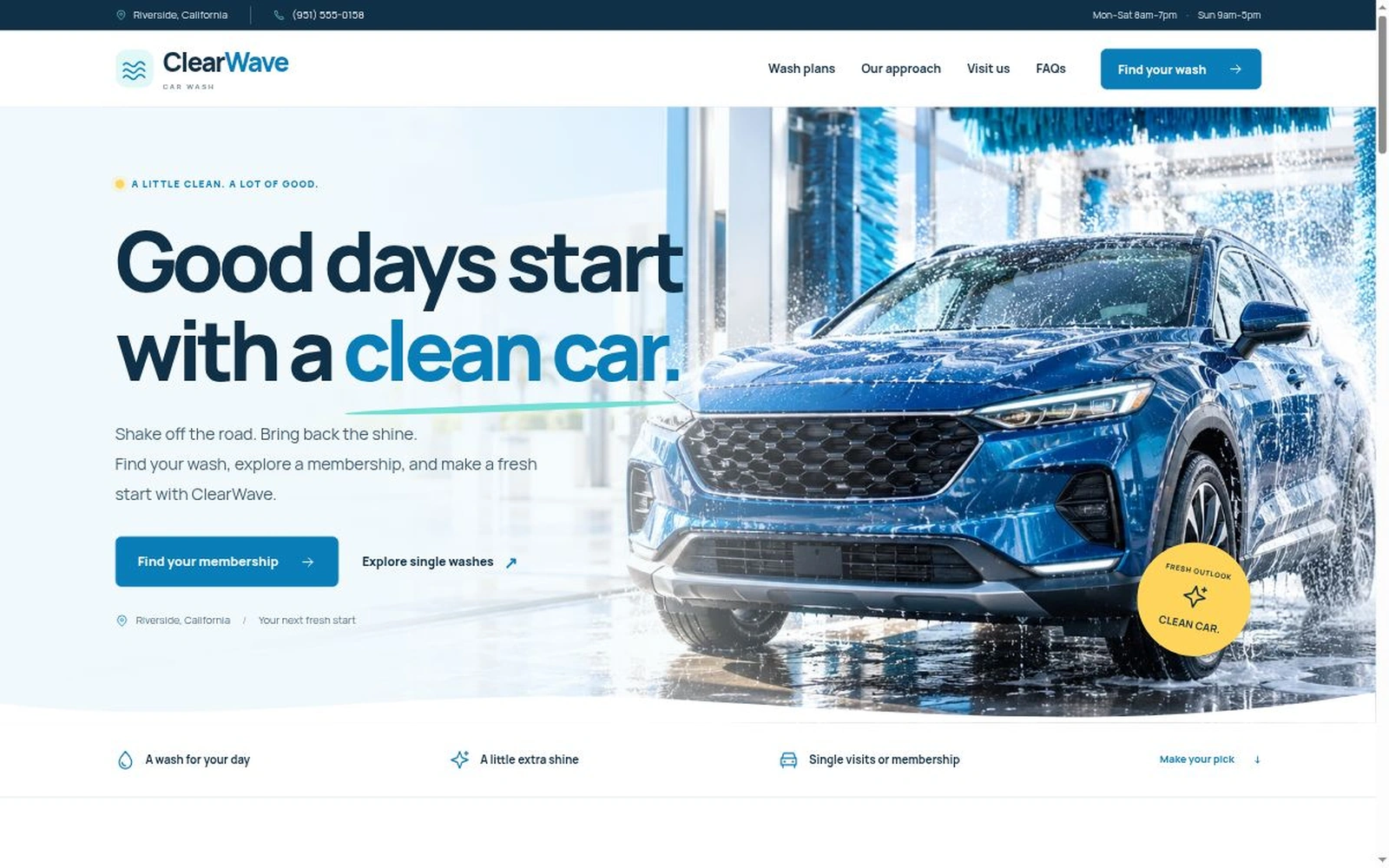
A fresh look for a cleaner car. A bright, membership-oriented landing page that helps customers compare wash packages, explore monthly options, and ask about their next visit.
Downloadable source files. The inquiry form prepares an email draft for visitors to review and send. Visits and membership terms are confirmed directly.
ClearWave Car Wash is a Bootstrap 5 landing page for car wash businesses that want a fresh, straightforward online presence. Ocean blue, aqua, ice-white surfaces, and a photographic hero introduce three exterior wash packages. Customers can switch between single-wash and monthly prices, choose a package, check visit information, and prepare an inquiry.
The layout keeps the next step close: three horizontal process steps, a full-width inquiry panel, compact FAQs, and clear phone actions across desktop, tablet, and mobile.
Practical car wash features with editable local files.
Help customers understand the wash options, explore membership, and get in touch before their next visit.
Editable HTML, CSS, and JavaScript. No build process required.
clearwave-car-wash/
├── index.html
├── README.html
├── LICENSES.txt
└── assets/
    ├── css/style.css
    ├── js/app.js
    ├── fonts/manrope.woff2
    ├── images/
    │   ├── clearwave-hero.webp
    │   └── favicon.svg
    └── vendor/
        ├── bootstrap.min.css
└── bootstrap.bundle.min.jsThe landing-page download contains 10 files. Marketplace preview images are supplied separately.
Actual desktop, tablet, and phone layouts, shown on realistic devices. Mobile visitors get compact navigation and fixed Call us / Find your wash actions.
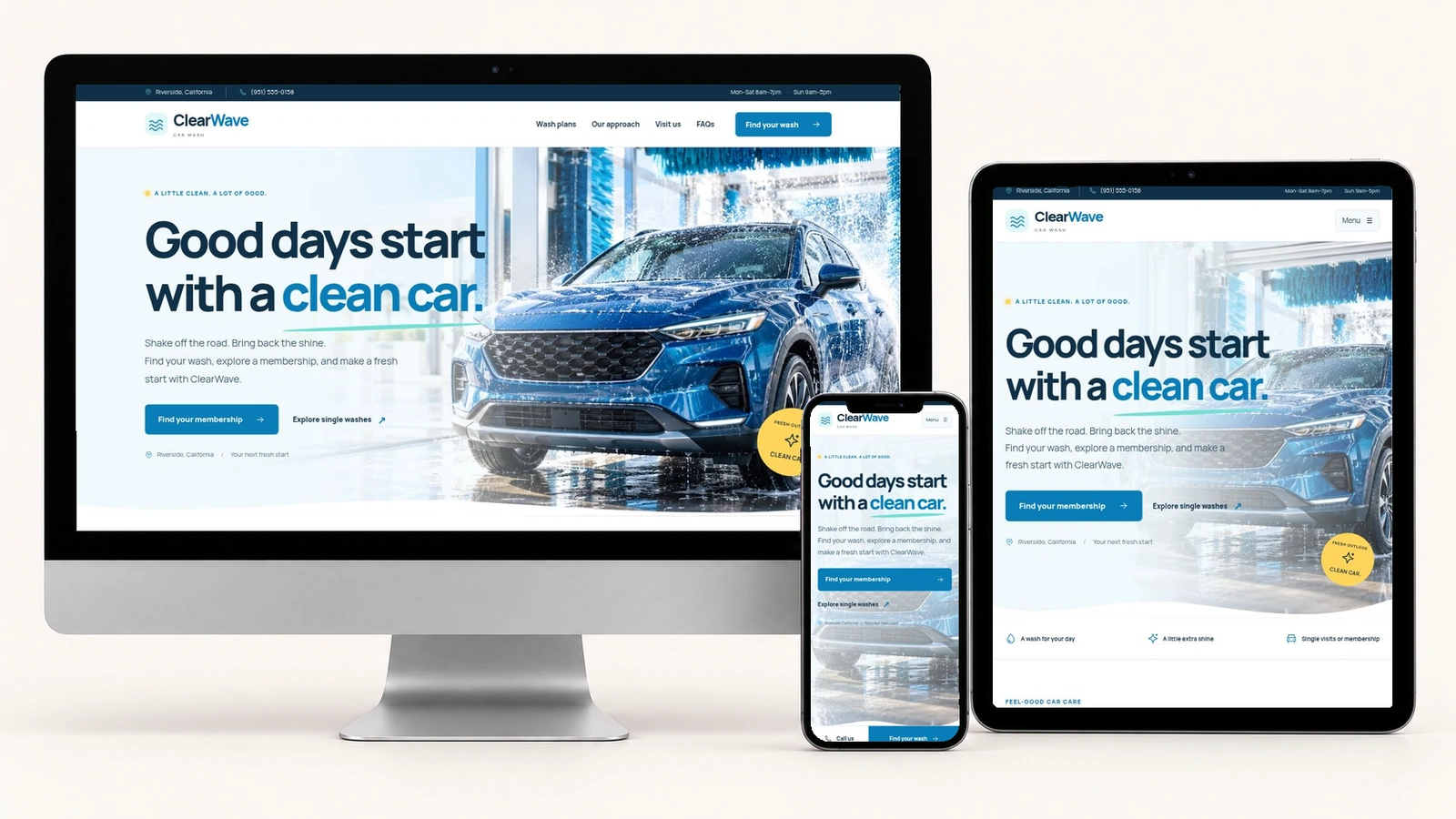
Edit the business identity, package names, single-wash and monthly prices, hours, contact details, FAQs, and visit copy in index.html. Change the palette and responsive spacing in assets/css/style.css. Set the inquiry recipient and business timezone in assets/js/app.js.
The README explains the pricing data attributes, selected-plan behavior, image crops, four/two/one-column form layout, horizontal process steps, and email-draft flow.
:root {
  --navy: #103047;
  --blue: #087db8;
  --aqua: #73ded5;
  --ice: #f5fafc;
  --white: #fff;
  --yellow: #ffd45a;
  --slate: #526675;
}
Inquiry behavior: choosing a package preselects the inquiry fields. Visitors review a draft, then open their email app or copy it to send. Changing their details invalidates an earlier draft. Prices, visit arrangements, and membership terms need direct confirmation.
Review PixelToWeb’s marketplace licensing information for template use. The included LICENSES.txt provides the notices for Bootstrap and the local Manrope font.
README.html covers quick start, the actual file tree, business settings, branding, package pricing, hero crops, responsive spacing, navigation, policy dialogs, FAQs, email drafts, cache tokens, launch checks, troubleshooting, and dependency notices.
The inquiry form requires name and email. Callback phone, inquiry topic, wash package, pricing option, preferred date and time, and a question are also available. Past dates are checked in the configured business timezone.
This is a front-end template. It does not automatically send requests, check live availability, confirm a visit, enroll a membership, or process payments. Connect your own production services if needed. For marketplace questions, contact PixelToWeb.
A practical starting point for your car wash business.
Update the three packages, prices, included services, membership wording, and vehicle restrictions to match what your business offers.
Replace starter contacts, confirm hours and location, and customize the branding and photography. Review the hero crop on desktop and phone.
Set the recipient and timezone, test plan selection and draft creation, and review your policies before sharing the page.
Start with ClearWave’s bright hero, clear packages, and membership-focused inquiry flow. Make the details your own.