Torque Auto Repair
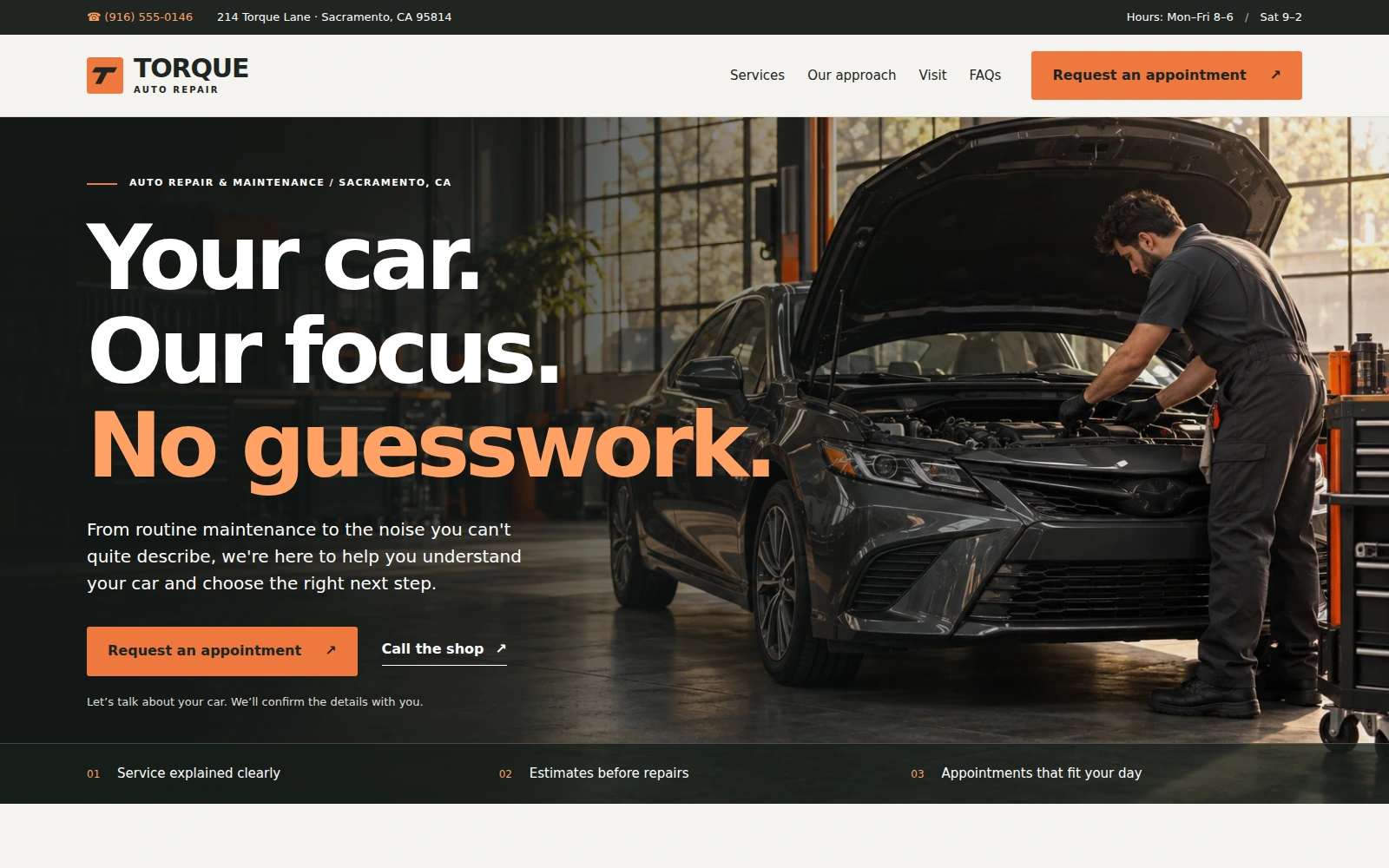
A service-first repair-shop design with a graphite, warm-white, and orange palette. Help visitors explore services and start a clear appointment or estimate inquiry.
About this template.
Torque Auto Repair is a Bootstrap 5 landing page for independent repair shops. Its workshop photography, clear service list, and distinctive orange accents guide visitors toward a straightforward appointment or estimate inquiry.
Template features.
Practical service tools on a lightweight, editable foundation.
The inquiry form prepares an email draft for review. Visitors send it from their own email app; appointments are confirmed directly by the business.
Included sections.
A complete service-led page, from the first workshop impression to the next customer conversation.
- 01Business information and mobile navigation
- 02Workshop hero with appointment and call actions
- 03Six services with category filters
- 04About the shop and Why choose us
- 05Three-step service process
- 06Editable customer-review section
- 07Contact information and opening hours
- 08Appointment and estimate inquiry
- 09Ten numbered FAQs
- 10Footer, Privacy, and Terms of Use
What’s included.
Editable local files. No build process required.
torque-auto-repair/
index.html— landing pageREADME.html— buyer documentationLICENSES.txt— dependency noticesassets/css/style.css— layout and paletteassets/js/main.js— page interactionsassets/images/— two WebP photos and SVG markassets/vendor/— Bootstrap CSS, bundle, and license
Technical details
- Framework
- Bootstrap 5
- HTML / CSS
- HTML5 / CSS3
- JavaScript
- Vanilla JS
- Dependencies
- Included locally
- Fonts
- System fonts
- Imagery
- Local WebP + SVG
- Inquiry
- Email draft / manual send
- Documentation
- README.html
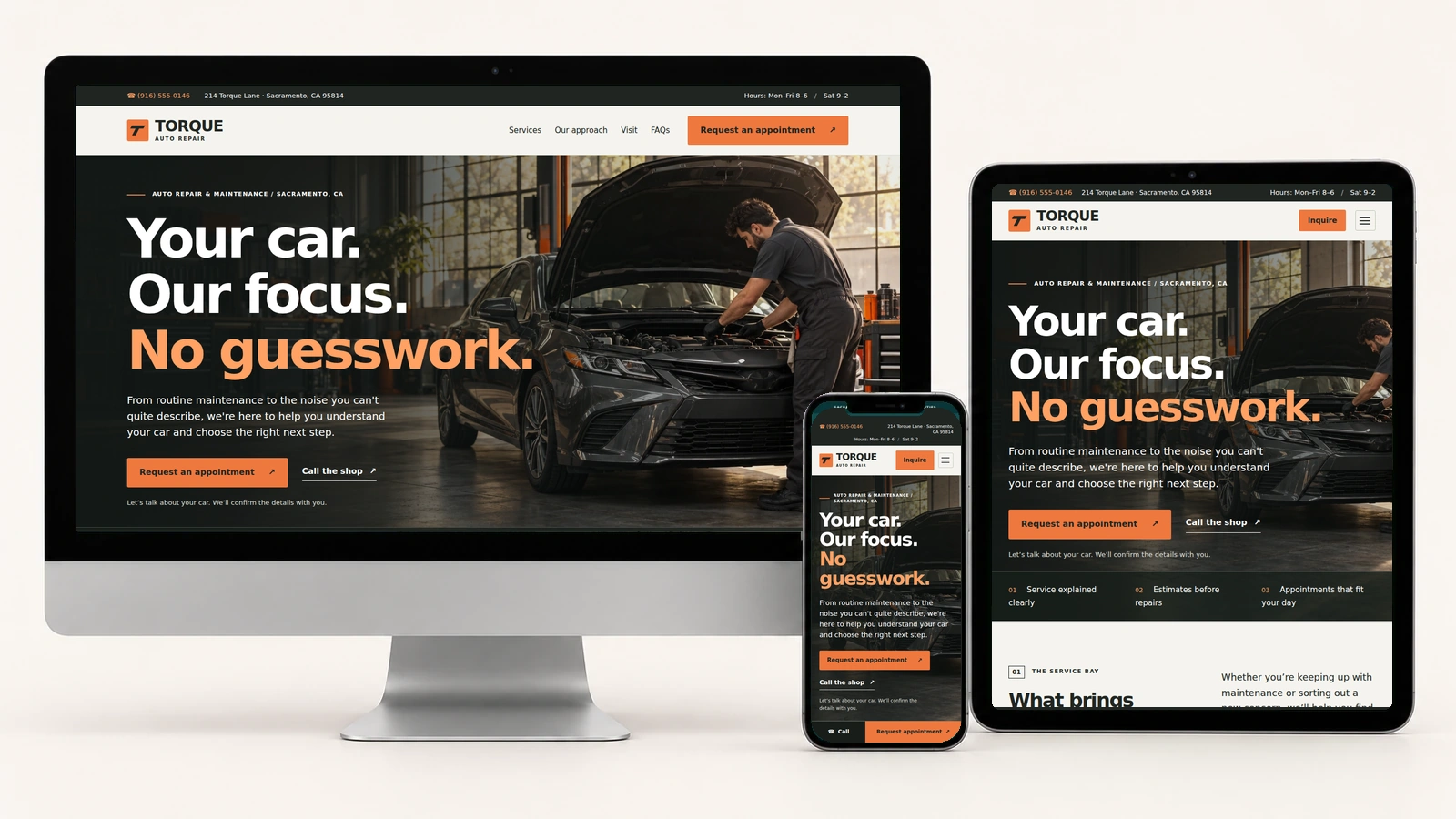
Built for every screen.
Desktop, tablet, and mobile views of the actual template.
Easy to customize.
Replace the logo text, contact details, service descriptions, imagery, review copy, and colors. Configure the inquiry recipient and timezone in one JavaScript settings block.
:root {
  --ink: #202522;
  --paper: #f5f4ef;
  --orange: #ef783e;
  --muted: #61685f;
}Perfect for.
License.
Review the marketplace licensing information for permitted use and purchase terms. Included dependency license notices remain with the source files.
Review licensing informationDocumentation & support.
The included README.html covers editing content, replacing photos, changing colors, updating call links, configuring inquiry drafts, and adjusting the pinned header and mobile action bar.
It also explains service filters, FAQ controls, policy dialogs, cache versions, and common troubleshooting steps.
Open the documentationMake it your shop.
A short setup path for your automotive business.
01. Add your details
Update services, prices, hours, and contact links. Add your own workshop images and authorized customer feedback.
02. Configure inquiries
Set your email recipient and business timezone, then review the email draft, copy fallback, and Reset behavior.
03. Check the visit flow
Confirm appointment wording, drop-off guidance, FAQs, and policies reflect the way your shop works.
Launch with
Torque Auto Repair.
Explore the complete page, then make the editable source your own.